

Use MyTradeCalc: What South African Traders Need to Know

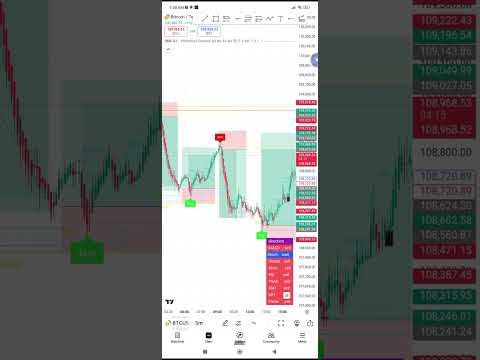
How to Use MyTradeCalc: Practical Guidance for South African Traders
What Is MyTradeCalc and Who Can Benefit?
MyTradeCalc is a web‑based calculator designed specifically for traders who need to determine position size, risk exposure, and potential profit targets. It works across forex, equities, commodities and crypto markets, making it a versatile tool for anyone who trades on a regular basis.
The platform is ideal for day traders, swing traders, and long‑term investors in South Africa who want to align their risk management with the size of their trading account. Whether you are managing a personal portfolio or handling client funds, the calculator helps you stay disciplined and consistent.
Core Features You Need to Know
Understanding the main capabilities of MyTradeCalc will let you extract maximum value from the tool. Below is a quick rundown of the most frequently used functions.
- Position size calculator – instantly converts risk percentage into lot size.
- Risk‑reward analysis – visualises potential outcomes based on entry, stop‑loss and target levels.
- Currency conversion – supports ZAR, USD, EUR and many other base currencies.
- Customisable alerts – email or push notifications when a calculation exceeds predefined thresholds.
How to Use MyTradeCalc for Position Sizing
The primary reason traders visit MyTradeCalc is to calculate the correct position size for each trade. Follow these steps to use the calculator effectively.
- Enter your total account balance in ZAR (or your preferred base currency).
- Choose the risk percentage you are comfortable with – most South African traders use 1‑2% per trade.
- Input your entry price, stop‑loss level, and the number of pips or points you expect the market to move.
- The tool instantly displays the lot size, monetary risk, and the amount of capital that will be allocated to the trade.
By repeating the calculation for each setup, you maintain a consistent risk profile regardless of market volatility.
Setting Up MyTradeCalc – A Step‑by‑Step Walkthrough
Getting started with MyTradeCalc takes only a few minutes. The process is intentionally simple to accommodate both beginners and seasoned traders.
Step 1: Create a Free Account
Visit the homepage, click “Sign Up”, and fill in your email address, name and a strong password. You will receive a verification link to activate the account.
Step 2: Configure Your Preferences
In the user dashboard, set your default currency, risk tolerance, and preferred market (forex, stocks, crypto, etc.). These defaults speed up future calculations.
Step 3: Test a Sample Trade
Enter a hypothetical trade using historical data. The calculator will show you the resulting position size and risk metrics, giving you confidence before you apply it to live positions.
Using MyTradeCalc for Different Trading Strategies
Day Trading
Day traders need rapid calculations as markets move quickly. MyTradeCalc’s real‑time updates let you adjust stop‑losses on the fly, ensuring you never exceed your pre‑set risk limit.
Swing Trading
For swing trades lasting several days, you can use the built‑in calendar feature to project potential price ranges and align them with your weekly risk budget.
Position Trading
Long‑term investors benefit from the multi‑currency conversion tool, which helps translate risk percentages into appropriate lot sizes even when trading overseas assets.
Integrations and Automation Options
MyTradeCalc can be linked with popular trading platforms and data providers, extending its functionality beyond a standalone calculator.
- API access for MetaTrader 4/5, cTrader and TradingView.
- Webhook support for Zapier, allowing you to trigger alerts in Slack or Microsoft Teams.
- Export to CSV for deeper analysis in Excel or Power BI.
These integrations enable you to embed the calculator directly into your existing workflow, reducing manual entry errors.
Pricing Structure and Value Assessment
MyTradeCalc offers a tiered pricing model that caters to both hobbyist traders and professional fund managers. Below is a simplified comparison of the most common plans.
| Plan | Monthly Cost (ZAR) | Key Features | Best For |
|---|---|---|---|
| Free | 0 | Basic position size calculator, limited to 5 saved scenarios per month | Beginners testing the concept |
| Standard | 199 | Unlimited scenarios, API access, email alerts, position size calculator | Active retail traders |
| Professional | 499 | All Standard features plus priority support, multi‑user accounts, advanced analytics | Trading firms and educators |
When evaluating cost, consider how many calculations you perform each month and whether you need integration with other tools. The Standard plan usually offers the best balance for most South African traders.
Support, Security, and Reliability Considerations
MyTradeCalc is hosted on secure cloud servers with SSL encryption, ensuring your data is protected both at rest and in transit. Regular backups are performed daily, and the platform complies with South African data protection regulations.
Support is available via live chat, email, and an extensive knowledge base. Premium users receive a dedicated account manager and a 24/7 response SLA, which can be crucial during volatile market hours.
Common Pitfalls and How to Avoid Them
Even with a reliable tool, misapplication can lead to poor outcomes. Here are frequent mistakes and corrective tips.
- Using the wrong base currency – Always confirm that your account balance is entered in the correct currency to avoid mis‑sized positions.
- Ignoring slippage – Factor in a realistic execution price, especially for fast‑moving markets, by adding a small buffer to your entry price.
- Over‑risking on a single trade – Stick to your predefined risk percentage; the calculator will warn you if a trade exceeds the limit.
Frequently Asked Questions About Using MyTradeCalc
Can I use MyTradeCalc on a mobile device? Yes, the platform is fully responsive and works on smartphones and tablets.
Is there a trial period for the Standard plan? A 14‑day free trial is offered, giving full access to premium features without a credit card.
What happens to my saved scenarios if I upgrade or downgrade? All saved data is retained across plan changes; only feature access is adjusted.
Final Thoughts – Is MyTradeCalc Right for You?
Using MyTradeCalc can bring discipline, transparency, and speed to your trading workflow. If you value consistent risk management, need quick calculations across multiple markets, and operate from South Africa, the platform is worth a trial.
Start with the free tier to explore the interface, then consider upgrading once you see how the calculator integrates with your daily trading routine.